
'/%3e%3cpath%20d='M81.229,128.772l14.237,39.406s1.78,3.687,3.686,3.687,30.255-29.492,30.255-29.492l31.525-60.89L81.737,118.6Z'%20fill='%23c8daea'/%3e%3cpath%20d='M100.106,138.878l-2.733,29.046s-1.144,8.9,7.754,0,17.415-15.763,17.415-15.763'%20fill='%23a9c6d8'/%3e%3cpath%20d='M81.486,130.178,52.2,120.636s-3.5-1.42-2.373-4.64c.232-.664.7-1.229,2.1-2.2,6.489-4.523,120.106-45.36,120.106-45.36s3.208-1.081,5.1-.362a2.766,2.766,0,0,1,1.885,2.055,9.357,9.357,0,0,1,.254,2.585c-.009.752-.1,1.449-.169,2.542-.692,11.165-21.4,94.493-21.4,94.493s-1.239,4.876-5.678,5.043A8.13,8.13,0,0,1,146.1,172.5c-8.711-7.493-38.819-27.727-45.472-32.177a1.27,1.27,0,0,1-.546-.9c-.093-.469.417-1.05.417-1.05s52.426-46.6,53.821-51.492c.108-.379-.3-.566-.848-.4-3.482,1.281-63.844,39.4-70.506,43.607A3.21,3.21,0,0,1,81.486,130.178Z'%20fill='%23fff'/%3e%3c/svg%3e) Join our Telegram channel
Join our Telegram channelSmall etudes
Short notes and tiny programs about JavaScript.
#Proof of XOR swap
20 Sep 2025
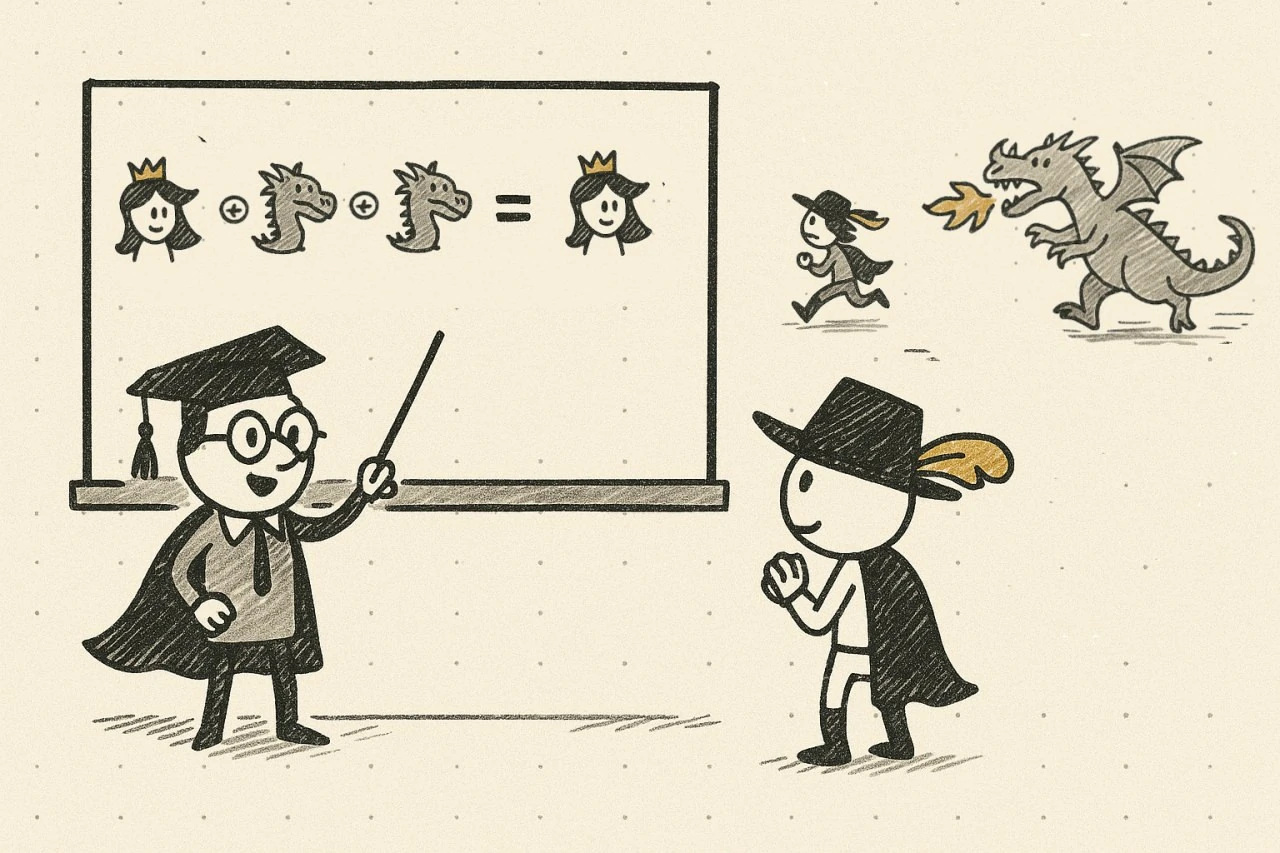
In the previous note we demonstrated XOR‑swap with an example and a table. Demonstration is not a proof. Here is a concise, rigorous explanation of why XOR‑swap works.
Think of
a ^ bas toggling bits ofawhereverbhas 1s. Doing it twice restores the original:a ^ b ^ b = a.// Let initial values be a0 and b0 let a = a0, b = b0 a = a ^ b // a = a0 ^ b0, b = b0 b = a ^ b // a = a0 ^ b0, b = b0 ^ (a0 ^ b0) = a0 a = a ^ b // a = a0 ^ b0 ^ a0 = b0, b = a0
The result is general: the values are swapped without a temporary variable, for any integers
a0andb0.- XOR toggles bits: a ^ b ^ b = a
- Step‑by‑step proof for a0, b0
- Swap without a temp variable
#XOR operation
20 Sep 2025
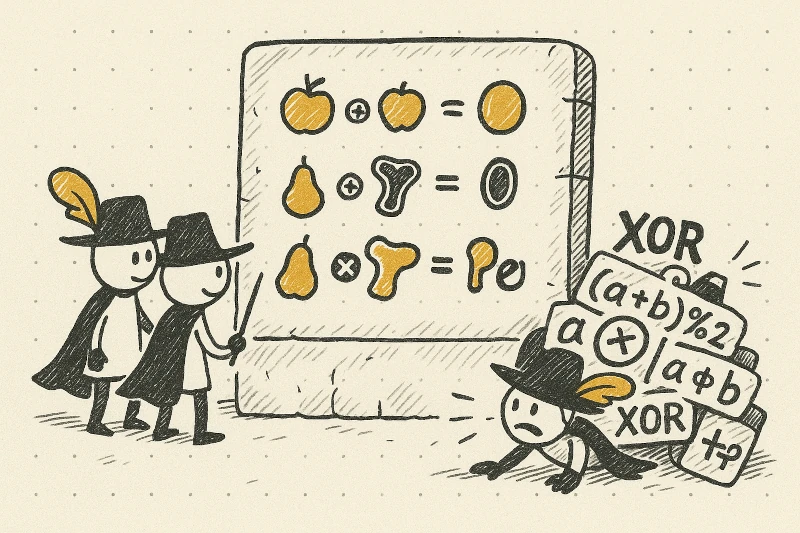
In an earlier post we used the XOR operator for swapping two values. After a short intro to base‑2, let’s look at XOR itself.
XOR has several notations: ⊕, ^, xor. On single bits it behaves as “sum mod 2”: 0 if the inputs are equal and 1 if they differ. See Wikipedia.
Bitwise XOR means we apply XOR to corresponding bits of two binary numbers. Example:
5 ^ 3. In binary:101 ^ 011. Column‑wise:1^0=1,0^1=1,1^1=0→110(which is 6). Try:console.log(5 ^ 3).0 1 2 3 4 5 6 7 0 0 1 2 3 4 5 6 7 1 1 0 3 2 5 4 7 6 2 2 3 0 1 6 7 4 5 3 3 2 1 0 7 6 5 4 4 4 5 6 7 0 1 2 3 5 5 4 7 6 1 0 3 2 6 6 7 4 5 2 3 0 1 7 7 6 5 4 3 2 1 0 Let's check the classic XOR‑swap algorithm using this table. Let a = 5, b = 4. Trace the values after each assignment:
a = a ^ b  // a = 5 ^ 4 = 1, b = 4
b = a ^ b  // a = 1, b = 1 ^ 4 = 5
a = a ^ b  // a = 1 ^ 5 = 4, b = 5
We can see the algorithm works; the values are swapped without a temporary variable.- Bitwise XOR combines two numbers into a third
- Useful identity: a ^ b ^ a = b
- Notations: ⊕, ^, xor; behaves like sum mod 2
- Associative, commutative, self-inverse
- Wikipedia: XOR
#Base-2 representation
15 Sep 2025
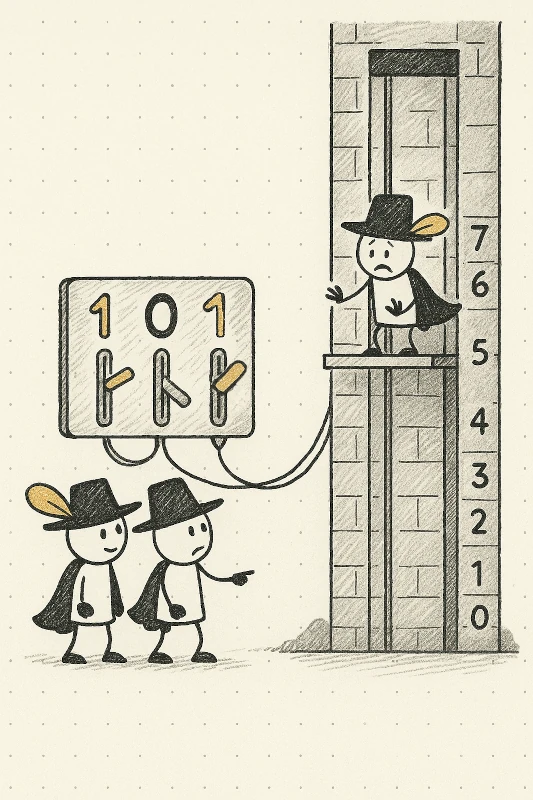
In one of the previous posts we discussed the solution for the 'swap two values within three variables' problem which uses the XOR operator. Here we take one step back to explain what's going on. For full details on positional notation in base 2, see Wikipedia. Key ideas:
- any integer can be written as a sequence of 0 and 1 digits
- we can convert binary to decimal and back
To convert binary to decimal, sum bits with their weights (from right to left): 1, 2, 4, 8, 16, .... Examples:
101= 1×4 + 0×2 + 1×1 = 5;011= 0×4 + 1×2 + 1×1 = 3.For 3-bit numbers:
000 → 0
001 → 1
010 → 2
011 → 3
100 → 4
101 → 5
110 → 6
111 → 7. To convert decimal to binary, find the decimal value and take its binary counterpart.- A number can be written in binary form
- Binary on Wikipedia
#Three-variable swap simulator
5 Sep 2025
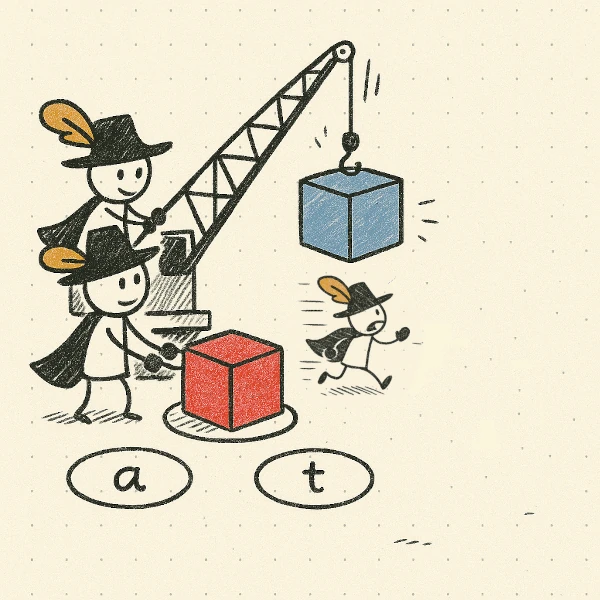
In previous posts, we discussed the famous problem of swapping the values of two variables. Here we present a simulator for three variables. Three circles represent variables; their colors show the values. Six buttons cover the assignments a=b, b=a, b=t, t=b, a=t and t=a. Press a button and the assignment happens immediately.
We used React to create this application and Vite to build it. There were a few interesting points, which we will share later. Let's start with the problem: how to arrange three circles at the vertices of an equilateral triangle?
There are several possible approaches:
- Grid with fixed cell sizes — pros: easy; cons: not straightforward and probably approximate
- Canvas — pros: allows exact coordinates; cons: elements are not clickable and the canvas is raster
- SVG — pros: coordinates, clickable elements, concise code
- React simulator of three-variable swap
- Link to try
- SVG to align circles
#Operators
29 Aug 2025
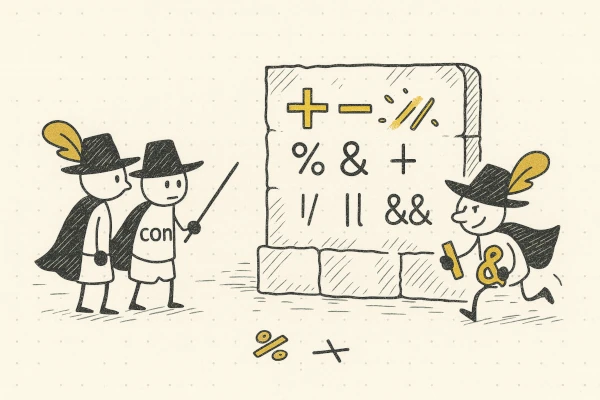
To solve real-world problems, we must perform operations on numbers. In JS we use "*" for multiplication, "/" for division and "+", "-" for addition and subtraction respectively. Open the console in your browser and enter expressions like 2*2, 5-3, 8/4, 6*6. In C++ and Python there are tricky rules to determine the result of a non-integer division. In JS such results are floating-point numbers. If you want to round them, use Math.ceil or Math.floor functions.
To write complex programs that make non-trivial decisions, we combine simple logical statements into more complex constructions. For instance, if we want to detect when x is either too small or too big, we combine (x < 4) with (x > 7). Each of these statements has the boolean type. To combine simple boolean expressions into a complex one, we use logical operators: "||" - or, "&&" - and, "!" - not. Therefore, our expression can be written as (x < 4) || (x > 7).
If you want to pack data into a variable and work on the bit level, bitwise operators "|", "&", "^", "~" are handy. It is quite a high-level trick and you will not use it every day, but sometimes these operations can save the day.
- arithmetic operators: + - * / %
- logical operators: || && !
- bitwise operators: | & ^ ~
#Swap two values
22 Aug 2025
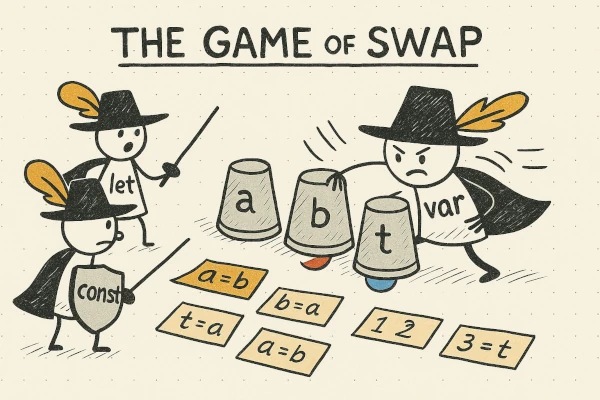
So far we have just discussed placing values into variables, and it seems like nothing exciting can be done here. But here comes a famous question: how to swap the values of two variables? It is an important part of sorting algorithms. Try to think about it. You have two variables:
let a = 5, b = 8;
...
console.log("a=", a, "b=", b);
Your task is to place code instead of ..., so the output is: a=8, b=5. Of course, you should make the solution generic and use assignments between variables. Note that statements like a = b or b = a immediately ruin your game because after them one of the values is gone. You can avoid this pitfall by introducing a third variable. Try to write your own program and test it in the console of your browser.
The code you get is a famous "swap" function one can find in libraries. The harder and not so well-known problem is how to swap values without introducing a third variable. Here you can think about other operations besides pure assignment.
If you get stuck, you can check answers on our github page: three, minus and xor. Also you can play in our swap simulator "ref".
- swap(a, b) moves the value of a to b and b to a
- Common approach: use three variables
- Trick: only two variables are enough
#Hoisting
17 Aug 2025
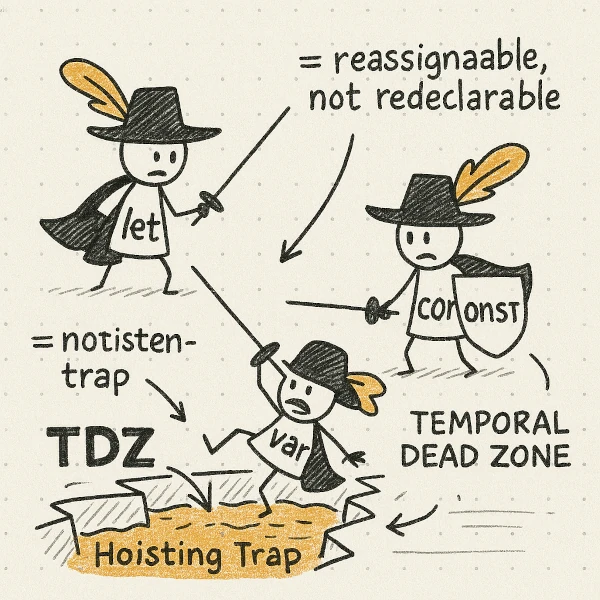
In languages like C++, Java and Go you cannot use a variable before it is declared. JavaScript scans a file twice, processing declarations first.
Then it runs the program, effectively lifting declarations to the top. A program with var may print undefined, while the temporal dead zone makes let and const throw an error.
- Hoisting moves declarations to the scope top
- var is accessible before declaration (undefined)
- let and const are inaccessible before declaration
- TDZ enforces this rule
#Let, var, const
15 Aug 2025

Keywords var, let, and const let you create a new variable and give it an initial value. var is an old construction and is now obsolete. To create a variable with a constant value, use const. For a variable whose value changes, use let.
Be aware whether your value is a Primitive or an Object. const a = 5 completely forbids any change because 5 is a primitive type and the statement "value 5 is stored in variable a" remains true. But const b = [5] forbids writing b = [6] yet allows changing the array’s elements, like b[0] = 777. That's because the value of b is a reference to an array; we use this variable to read the reference and then access the array by index.
- var – old, deprecated
- let, const – modern
- let: value can change
- const: value can't be reassigned
- const + primitive = nothing can be changed
- const + Object = no new object; existing object can change
#Types: primitive, object
8 Jul 2025
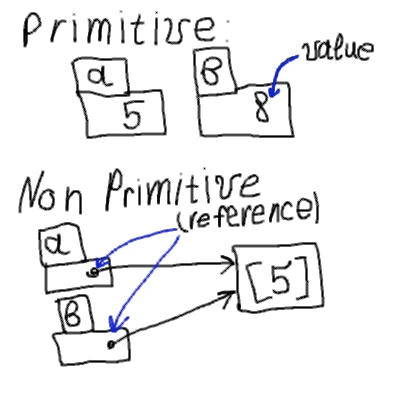
The memory of a computer contains zeroes and ones. In order to perform calculations, draw pictures and send messages, we must attribute meaning to them. A bit is either zero or one. Eight bits make a byte. Groups of bytes can store characters, numbers, true or false values. Type tells us what sense we assign to a group of bits.
There are primitive types in JavaScript: Number, String, Boolean, Undefined, Null. When we work with them, one can say "The value is in a variable" and results of operations are predictable. "a=b" means we take a value from b and place a copy into a.
There are also non-primitive types like Object, Array, Function. In this case a variable contains a reference to an object somewhere in memory. "a=b" means now "a" references the same object as "b", so changes via "b" affect "a" as well.
- Type defines how to interpret values in memory.
- Primitive types: Number, String, Boolean, Undefined, Null — value stored directly.
- Reference types: Object, Array, Function — variable holds a reference.
let a = 5;
let b = a;
b = 8;
console.log(a,b)
// 5, 8

let a = [5];
let b = a;
b[0] = 8;
console.log(a, b)
// [8], [8]